ਨਵੇਂ ਕੰਪਿਊਟਰਾਂ ਜਾਂ ਲੈਬ ਸਿਸਟਮਾਂ ਵਿੱਚ ਹਰ ਵਾਰ Username ਅਤੇ Password ਭਰਨਾ ਕਈ ਵਾਰ ਯੂਜ਼ਰਾਂ ਲਈ ਔਖਾ ਬਣ ਜਾਂਦਾ ਹੈ। ਇਸ ਸਮੱਸਿਆ ਦਾ ਇੱਕ ਆਸਾਨ ਅਤੇ ਪ੍ਰਭਾਵਸ਼ਾਲੀ ਹੱਲ ਹੈ — Autologon।
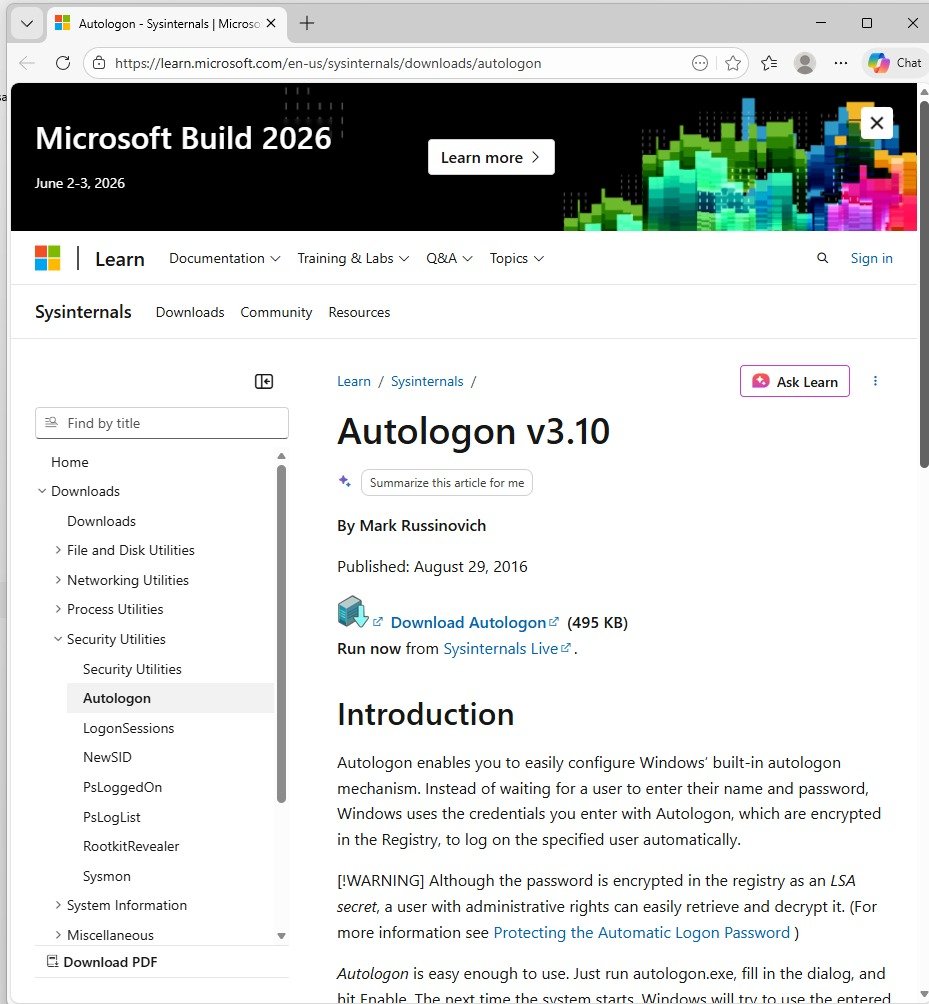
ਇਹ ਟੂਲ Microsoft ਦੇ Sysinternals ਪੈਕੇਜ ਦਾ ਹਿੱਸਾ ਹੈ, ਜੋ Windows ਕੰਪਿਊਟਰਾਂ ਵਿੱਚ auto login ਦੀ ਸੁਵਿਧਾ ਦਿੰਦਾ ਹੈ। ਇਸ ਦੀ ਮਦਦ ਨਾਲ ਯੂਜ਼ਰ ਨੂੰ ਹਰ ਵਾਰ password ਦਾਖਲ ਕਰਨ ਦੀ ਲੋੜ ਨਹੀਂ ਰਹਿੰਦੀ।
ਕਿਵੇਂ ਕੰਮ ਕਰਦਾ ਹੈ?
Autologon user ਦੇ credentials (Username ਅਤੇ Password) ਨੂੰ system ਵਿੱਚ securely save ਕਰਦਾ ਹੈ ਅਤੇ ਜਦੋਂ ਵੀ ਕੰਪਿਊਟਰ start ਹੁੰਦਾ ਹੈ, ਉਹ ਆਪਣੇ ਆਪ ਹੀ login ਕਰ ਜਾਂਦਾ ਹੈ। ਖਾਸ ਗੱਲ ਇਹ ਹੈ ਕਿ ਇਸ ਲਈ Internet ਦੀ ਲੋੜ ਨਹੀਂ ਹੁੰਦੀ।
ਵਰਤੋਂ ਦੇ ਮੁੱਖ ਕਦਮ:
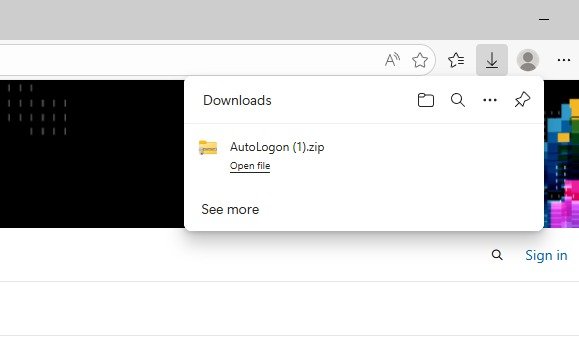
Microsoft ਦੀ website ਤੋਂ Autologon download ਕਰੋ
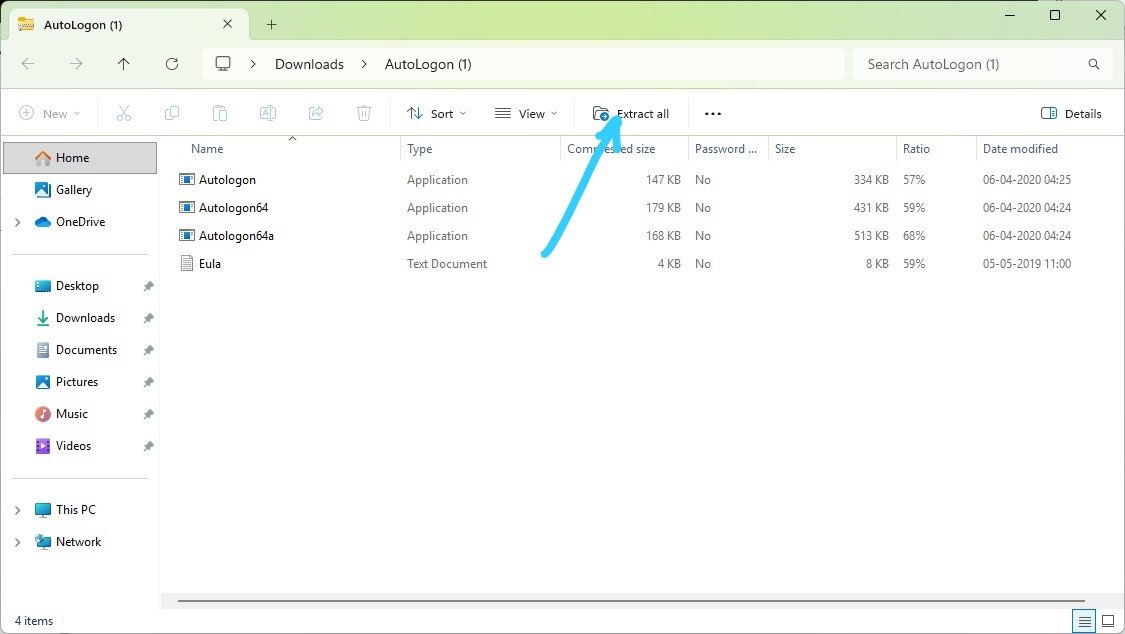
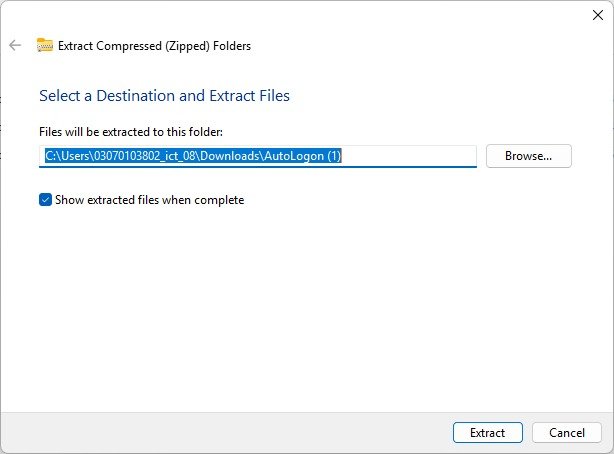
ZIP file ਨੂੰ extract ਕਰੋ
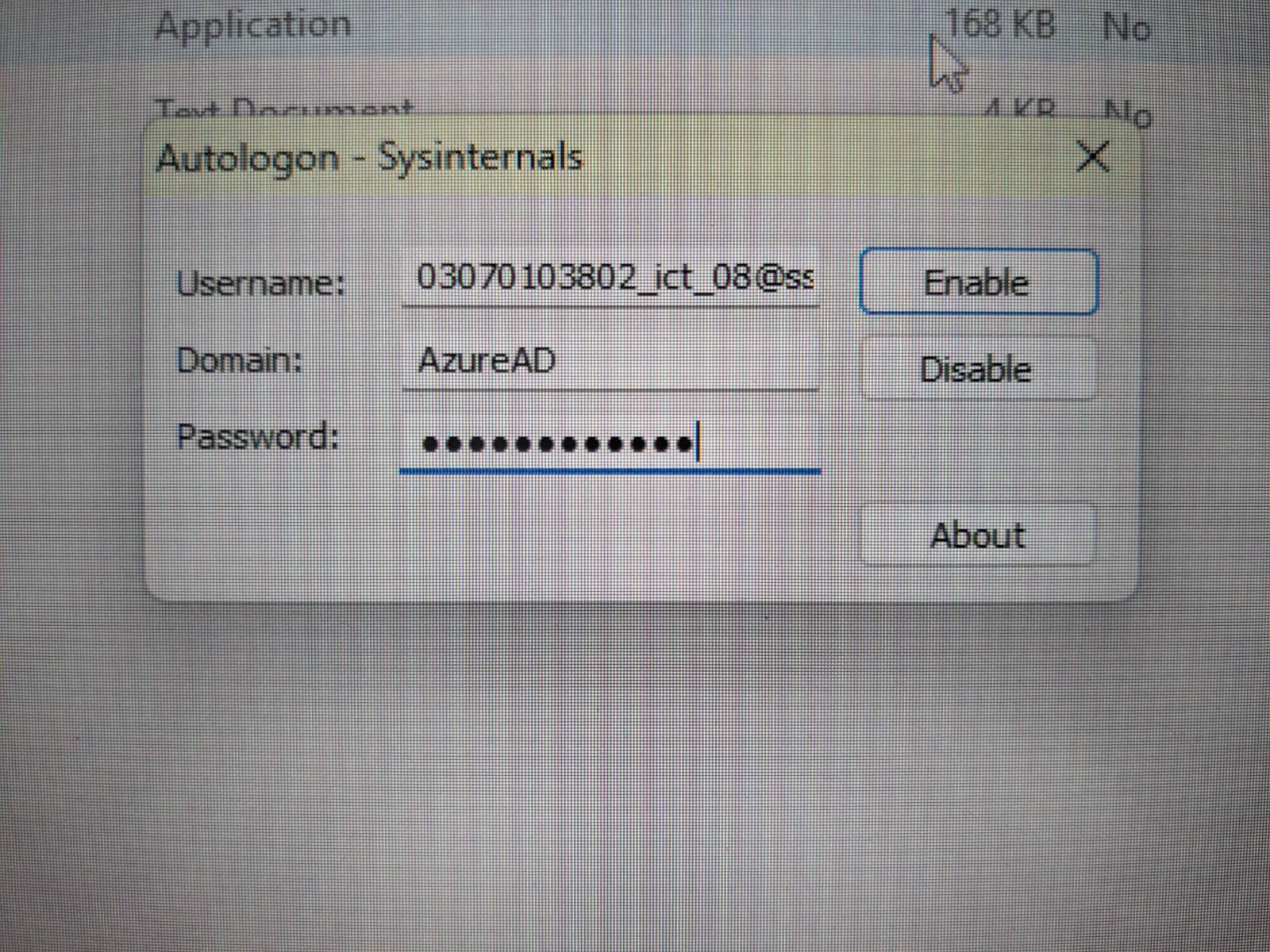
Autologon.exe run ਕਰੋ
Username, Domain ਅਤੇ Password ਭਰੋ
“Enable” button ‘ਤੇ click ਕਰੋ
ਇਸ ਤੋਂ ਬਾਅਦ system auto login ਲਈ ਤਿਆਰ ਹੋ ਜਾਂਦਾ ਹੈ।
Click here to download file
ਜ਼ਰੂਰੀ ਸਾਵਧਾਨੀ:
ਹਾਲਾਂਕਿ password encrypted ਰੂਪ ਵਿੱਚ save ਹੁੰਦਾ ਹੈ, ਪਰ administrator ਇਸਨੂੰ access ਕਰ ਸਕਦਾ ਹੈ। ਇਸ ਲਈ ਇਹ feature ਸਿਰਫ trusted systems ‘ਤੇ ਹੀ ਵਰਤਣਾ ਚਾਹੀਦਾ ਹੈ।