
⌨
deorpr.com
TYPE FASTER · IMPROVE ACCURACY · ACHIEVE YOUR BEST
🏆 Your Best: 0 WPM
⌨️
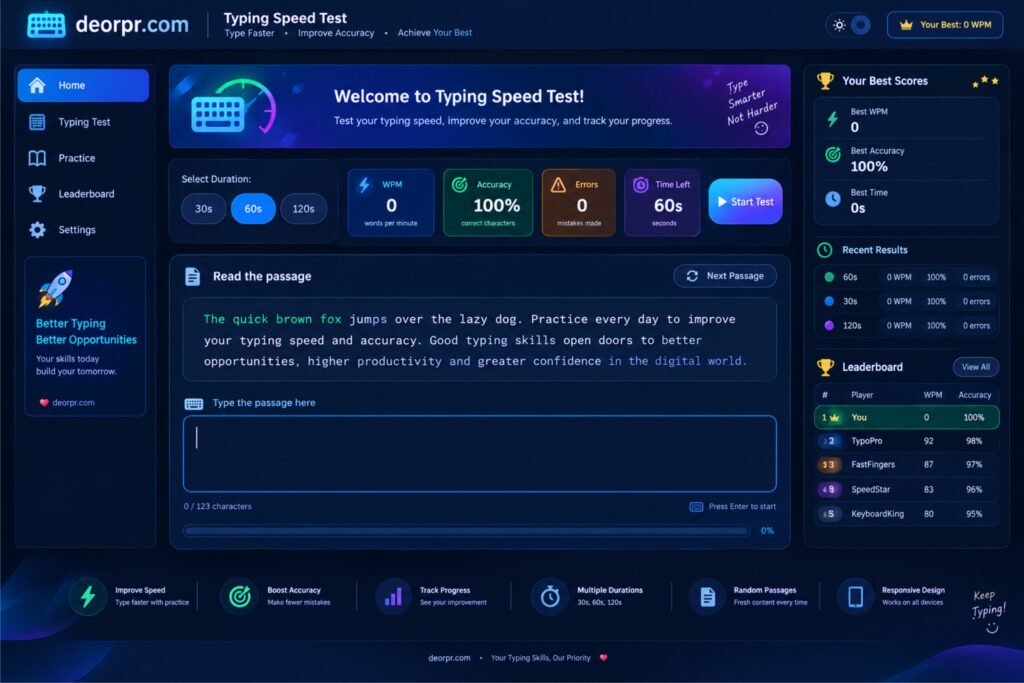
Welcome to Typing Speed Test!
Test your typing speed, improve your accuracy, and track your progress.
TYPE SMARTER
NOT HARDER ✦
NOT HARDER ✦
Select duration
⚡ WPM
0
words per minute
◎ Accuracy
100%
correct characters
⚠ Errors
0
mistakes made
◷ Time Left
30s
seconds
📄 Read the passage
0 characters typed↵ Start by typing
0% completedPassage 1
Ready? Press Start Test, then type the passage. The timer also starts when you begin typing.
🖐️ Left & Right Hand Finger Guide
Follow the highlighted finger for the next character, just like a typing tutor.
Little Ring Middle Index Thumb / Space
← LEFT HAND
Little
Ring
Middle
Index
Thumb
Thumb: Space bar
RIGHT HAND →
Thumb
Index
Middle
Ring
Little
Thumb: Space bar
☝️Start typing to see which finger to use next.
Standard QWERTY finger zones are shown as a guide. Space is usually pressed with either thumb. The highlighted finger follows the next character in the passage.
⚡
Improve SpeedType faster with practice
◎
Boost AccuracyMake fewer mistakes
▥
Track ProgressSee your improvement
◷
Multiple Durations15s, 30s, 60s, 120s
▤
Random PassagesFresh content every time
▯
Responsive DesignWorks on phones too